Free Resources Page — Editorial Lead Magnet Hub
A calm editorial free-resources page that showcases one or more lead magnets, captures emails through a clean opt-in form, and feeds subscribers into nurture sequences — pilots a tech educator's resource library but the pattern fits any creator growing a list with valuable downloads.
Best for: Lead-magnet pages and free-resources hubs where editorial calm and clear value framing convert better than a busy free-stuff page.
Live preview — scroll inside the frame to see the full page.
What it does
- Resource showcase — each free resource gets a card with a thumbnail, title, and short description so the value is immediately visible
- Outcome-led headline — the page headline names what the resources help readers do, not just that they're free
- Single-field email form — a clean form captures email addresses with as little friction as possible
- Trust microcopy — short copy near the form addresses delivery, unsubscribe, and privacy concerns
- Soft handoff into nurture — a closing line or CTA hints at the email courses or offers subscribers will see next
Best use cases
- Course creators — a free-resources hub feeding a course launch list
- Coaches and consultants — a library of worksheets and frameworks feeding a discovery-call funnel
- Newsletter creators — a public freebies page used as the welcome incentive
- Agencies and studios — a library of brand briefs, audits, and templates as inbound lead magnets
- Authors and educators — a free-companion-resources page for a book or course
What you can change with your DNA
When you run this through the remix skill, your CCOS DNA — brand, voice, audience — drives these decisions automatically:
- Colors — slots for page background, resource card background, thumbnail frame, headline text, body text, form field, button color, and accent
- Fonts — two or three roles: a display or serif for the page headline and resource titles, a body font for descriptions and form labels, and an optional accent for eyebrow or category labels
- Copy — page headline, intro paragraph, one title and short description per resource, form label and placeholder, button label, reassurance microcopy, and closing CTA
- Images — one preview thumbnail per resource (PDF cover, mockup, or screenshot) plus optional brand mark
- Behavior — choose whether each resource has its own form or a single shared form, and how the success state appears after submit
How remixing works
From "swiped it" to "shipped it" in three steps.
Pick a remix
Browse the library, find one that fits — like this one.
Run it through your DNA
The remix skill uses your CCOS DNA to swap colors, fonts, copy, and structure so it lands as yours.
Ship it
Paste the finished HTML into Thinkific, Kajabi, WordPress, or any platform that takes embed code.
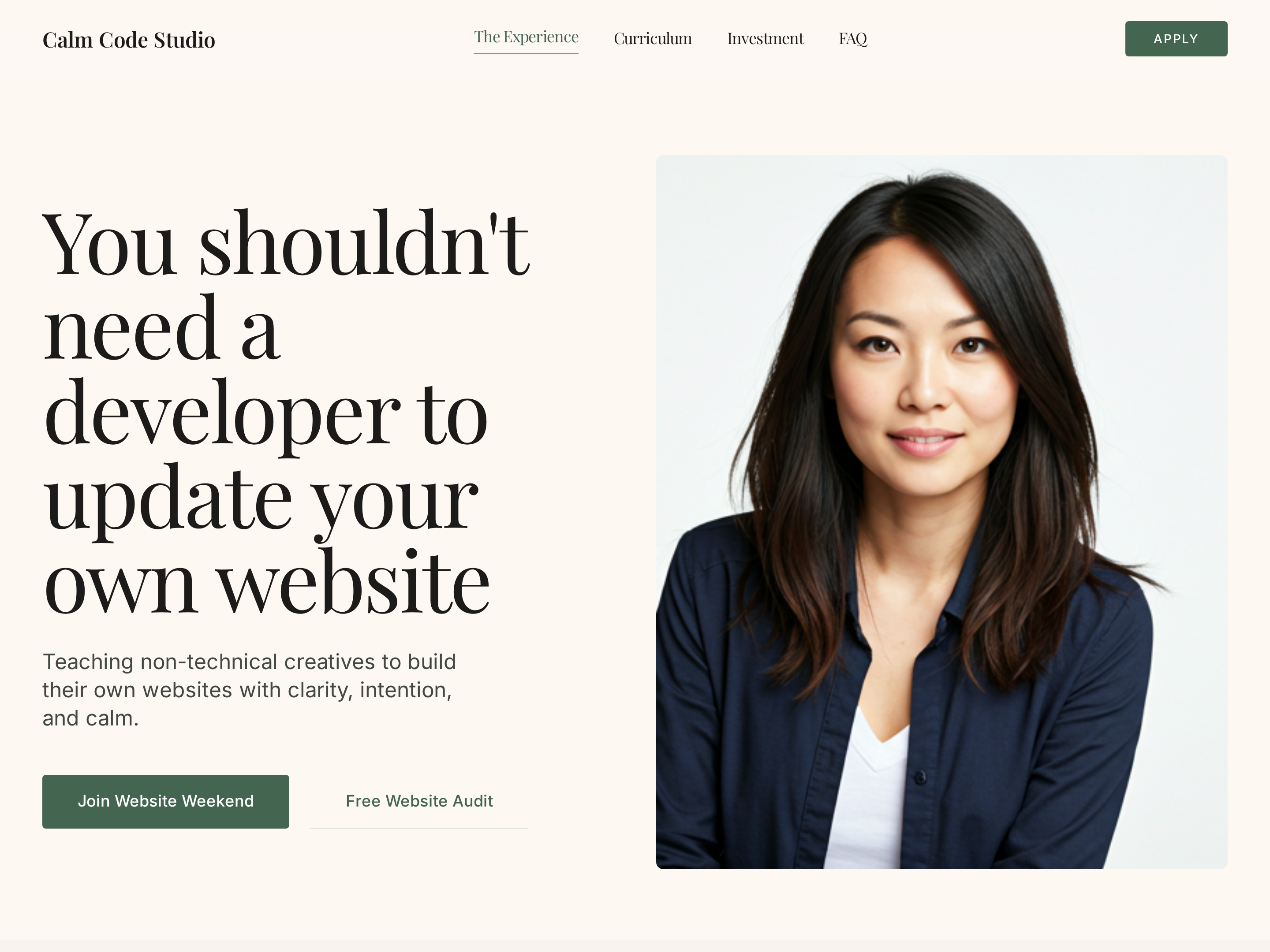
Editorial Creator Homepage — Calm Light-Mode Hero Layout
A calm editorial light-mode homepage with a warm hero, course showcase, social proof, and clear conversion paths — pilots a tech educator with a sage-green palette but the pattern fits any solo creator who wants editorial warmth instead of a corporate template.
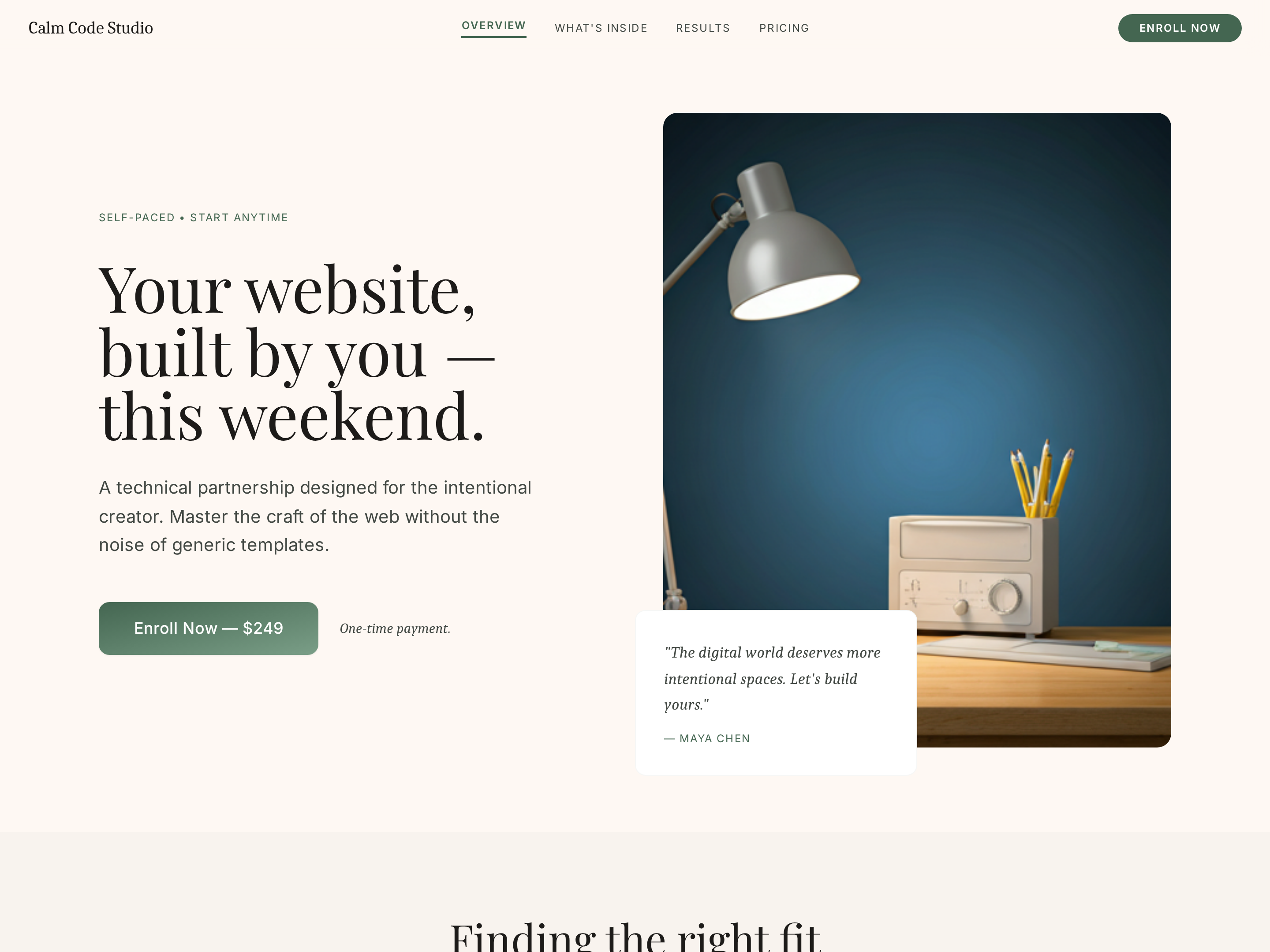
Intensive Workshop Sales Page — Editorial Weekend Course Layout
A calm editorial sales page for a short, intensive workshop or weekend course — daily breakdown, outcomes, instructor proof, and pricing with limited-spot urgency — pilots a tech weekend build but the pattern fits any creator selling a transformation-in-a-weekend offer.
Create a new list
Save your favorites
Email me a magic link and I'll add this to your favorites list.