Lead Magnet Opt-In Page — Single-Purpose Variant
A clean, single-purpose opt-in page that pairs a focused guide preview with a benefit-led pitch and one email capture form — pilots a free baking guide but the pattern fits any lead magnet a creator wants to convert visitors into subscribers with.
Best for: Single-purpose lead magnet pages where the page must do one job — convert visitors into subscribers — without distractions.
Live preview — scroll inside the frame to see the full page.
What it does
- Promise-led headline — names the guide and what the visitor will walk away with
- Benefit bullet list — three to five lines that show the concrete things the guide teaches or solves
- Cover preview image — a mockup of the guide makes the offer feel tangible and worth the email
- Single email capture form — one field, one button, no distractions, with confident send copy
- Clean readable layout — generous spacing and clear hierarchy keep visitors focused on the conversion
Best use cases
- Course creators — top-of-funnel email list building with a free guide, checklist, or template
- Coaches and consultants — workbook or assessment opt-in that funnels into the main offer
- Memberships — sample chapter or starter resource that converts cold traffic
- SaaS and digital products — free trial-adjacent lead magnets like cheat sheets or playbooks
- Authors and creators — first-chapter opt-in or quiz-driven guide for newsletter growth
What you can change with your DNA
When you run this through the remix skill, your CCOS DNA — brand, voice, audience — drives these decisions automatically:
- Colors — page background, accent color for the form button, and a quiet supporting tone for the bullets. Swap for any brand register.
- Fonts — two roles: a serif for the headline and bullet leads, and a clean sans for body, form labels, and CTA
- Copy — guide title, headline promise, benefit bullets, form labels, button text, and confirmation messaging
- Images — guide cover or mockup, supporting visual or creator portrait
- Behavior — choose inline form or modal capture, and tune confirmation states for delivery method
How remixing works
From "swiped it" to "shipped it" in three steps.
Pick a remix
Browse the library, find one that fits — like this one.
Run it through your DNA
The remix skill uses your CCOS DNA to swap colors, fonts, copy, and structure so it lands as yours.
Ship it
Paste the finished HTML into Thinkific, Kajabi, WordPress, or any platform that takes embed code.
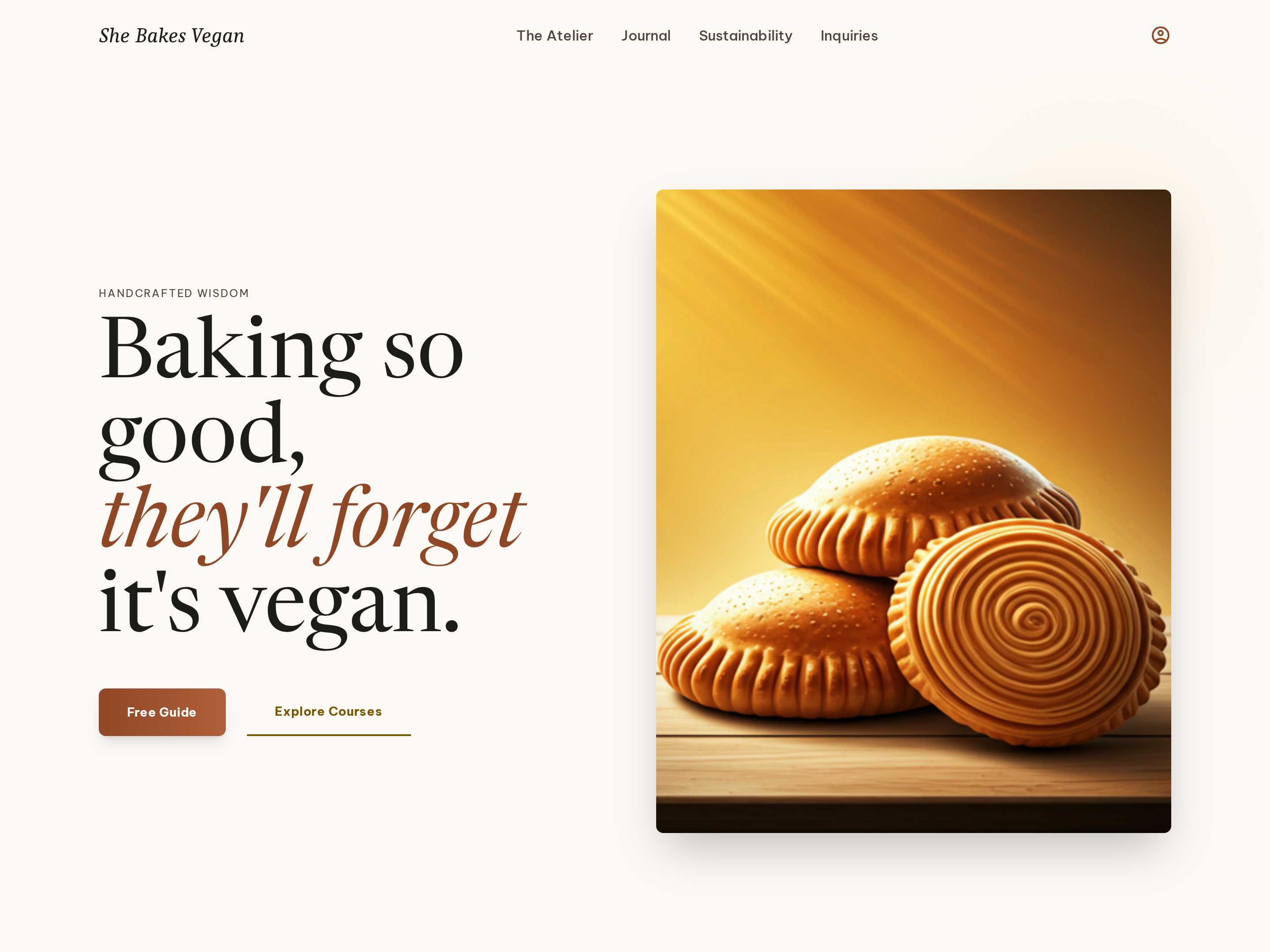
Editorial Homepage — Split-Hero Dual-CTA Variant
A warm, editorial homepage built around a split hero with a serif headline on one side and a photography panel on the other, plus dual calls to action that route visitors to a free resource or the main offer — pilots a vegan baking creator but the pattern fits any food, lifestyle, or course brand.
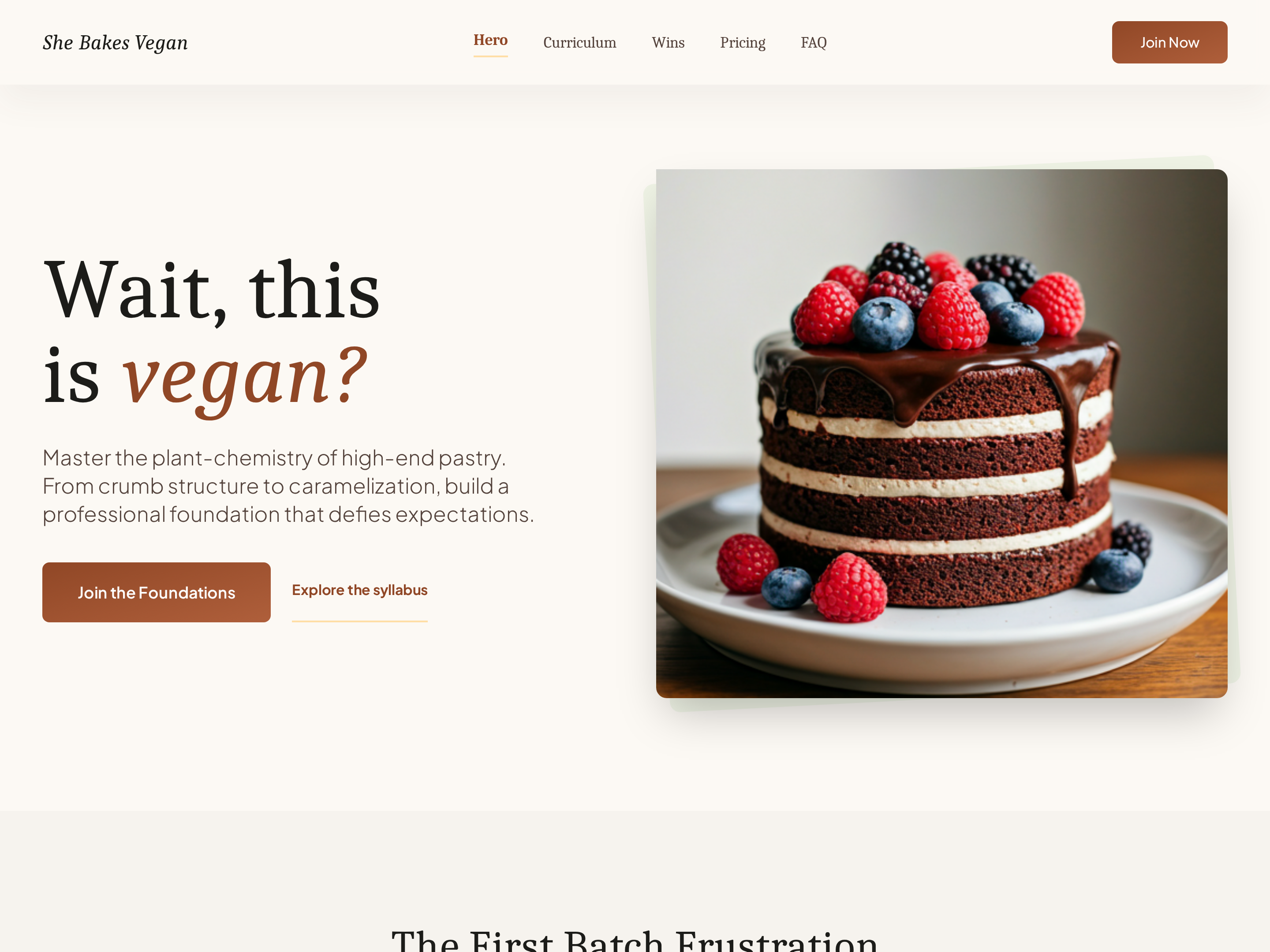
Long-Form Course Sales Page — Sticky-Nav Variant
A complete long-form sales page with a sticky section navigation, hero, problem framing, curriculum breakdown, student wins, pricing, and FAQ — pilots a plant-based baking course but the pattern fits any creator who needs the full conversion arc on one page.
Create a new list
Save your favorites
Email me a magic link and I'll add this to your favorites list.