Lead Magnet Page — Professional Free-Resources Variant
A professional opt-in page that frames a free guide, checklist, or planning tool as the first taste of a paid program, pilots a nursing CE planning resource but the pattern fits any creator using a high-value freebie to grow an email list.
Best for: Educators, coaches, and consultants who use a flagship free resource to build their email list and pre-sell a deeper paid program.
Live preview — scroll inside the frame to see the full page.
What it does
- Resource hero with cover preview — a large image of the resource (PDF cover, mockup, or workbook spread) makes the freebie feel tangible
- Value-first headline and subhead — the headline names the outcome the resource delivers, not just what it is
- "What's inside" bullet list — three to five bullets preview the most valuable sections so visitors know what they're getting
- Clean opt-in form — name and email fields plus a clear CTA button; no unnecessary fields to slow conversion
- Soft trust line under the form — a short reassurance (no spam, unsubscribe anytime) reduces hesitation
- Optional creator credibility block — a small section ties the resource to the creator's expertise and seeds the eventual paid offer
Best use cases
- Course creators — using a free guide to seed a launch email sequence
- Coaches and consultants — capturing leads with a planning tool before pitching a discovery call
- Agencies — offering an audit checklist or playbook to pre-qualify inbound leads
- Membership site owners — giving prospects a free chapter or resource to lower the barrier to joining
- Healthcare and compliance educators — distributing a CE planner or compliance checklist that builds a nurse subscriber base
What you can change with your DNA
When you run this through the remix skill, your CCOS DNA — brand, voice, audience — drives these decisions automatically:
- Colors — slots for page background, form card, input borders, CTA button, and the accent used on the headline and trust line
- Fonts — one professional font for the headline, subhead, bullets, and form labels; pair a heavier weight for the headline with a regular weight for body
- Copy — outcome-focused headline, subhead, three to five "what's inside" bullets, form labels, CTA button text, trust line, and creator credibility block
- Images — resource cover preview is the largest visual; optional creator headshot supports the credibility block
- Behavior — choose which fields the form requires, where subscribers route in your email tool, and whether the CTA opens a thank-you page or inline confirmation
How remixing works
From "swiped it" to "shipped it" in three steps.
Pick a remix
Browse the library, find one that fits — like this one.
Run it through your DNA
The remix skill uses your CCOS DNA to swap colors, fonts, copy, and structure so it lands as yours.
Ship it
Paste the finished HTML into Thinkific, Kajabi, WordPress, or any platform that takes embed code.
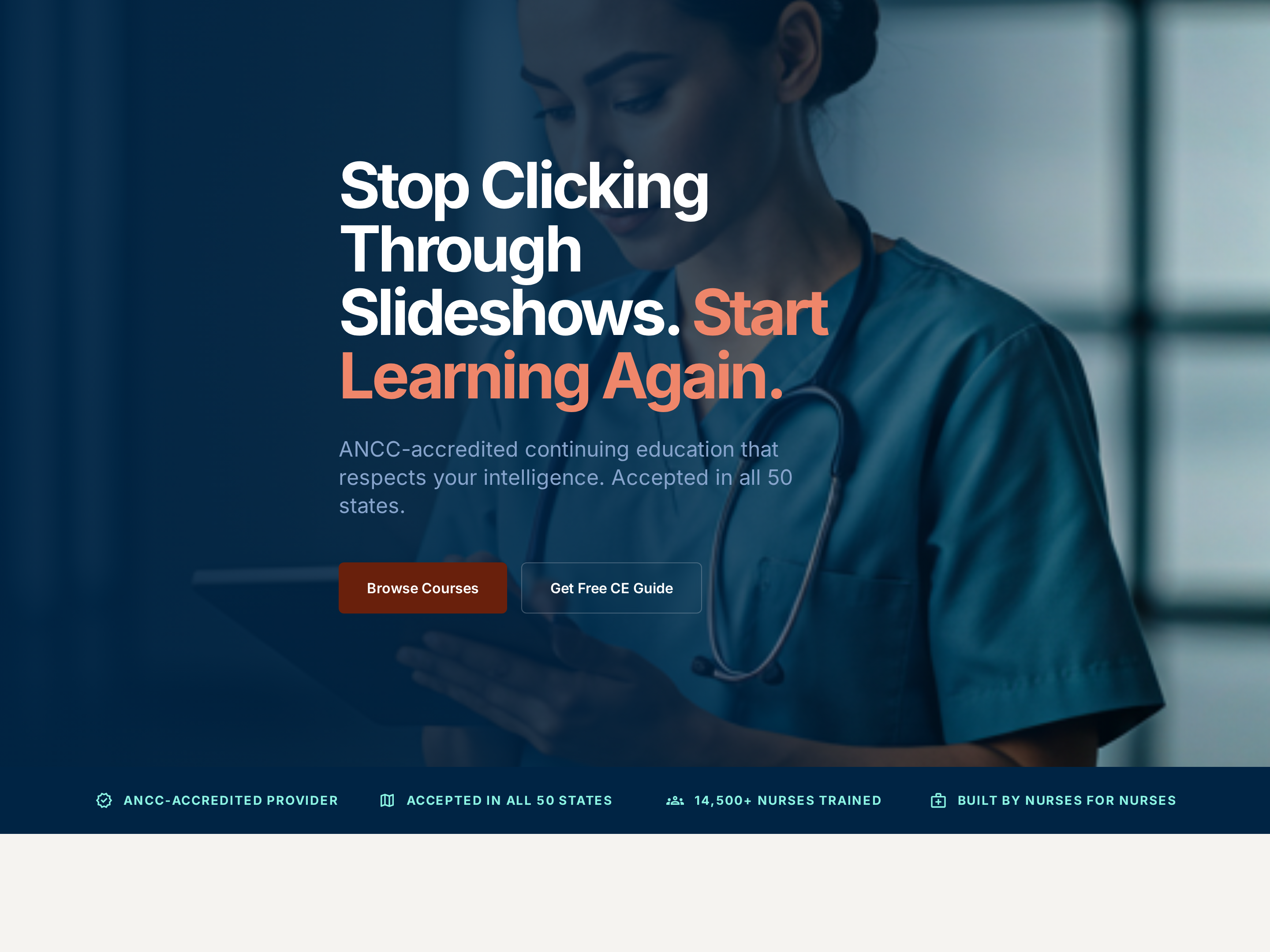
Professional Service Homepage — Credentialed Light-Mode Variant
A clean, credibility-first homepage with a clear hero, accreditation cues, featured offerings, and an enrollment CTA, pilots a nursing CE provider but the pattern fits any expert-led business where trust signals carry the sale.
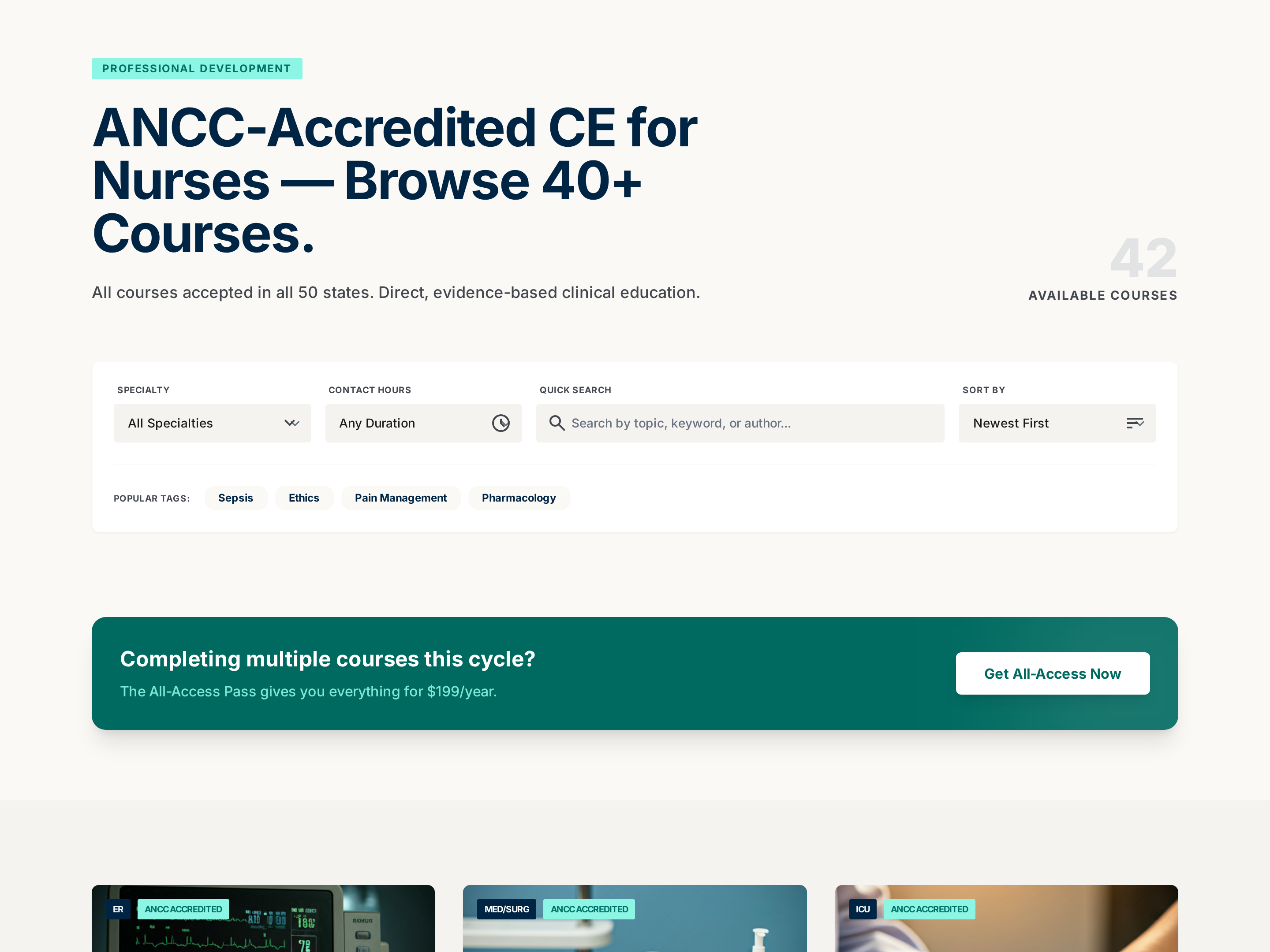
Searchable Course Catalog — Professional Filterable Variant
A searchable, filterable catalog page that organizes a large library of courses into clear cards with metadata for hours, price, and focus area, pilots a nursing CE catalog but the pattern fits any creator with 10+ offerings to organize.
Create a new list
Save your favorites
Email me a magic link and I'll add this to your favorites list.