Tiered Membership Page — Bold Dark-Mode Subscription Layout
A dark-mode membership page with tiered pricing cards, community benefits, and member features side by side — pilots a music academy membership but the pattern fits any subscription, cohort access tier, or community offer.
Best for: Creators offering ongoing access (monthly or annual) who need a clear page comparing tiers and pushing visitors toward a primary plan.
Live preview — scroll inside the frame to see the full page.
What it does
- Side-by-side tier cards — two or three pricing tiers compared at a glance
- Highlighted recommended tier — one card carries an accent border and label to guide the choice
- Feature comparison list — each tier lists what's included with checkmarks or short bullets
- Community and ongoing-access benefits block — separate section showing what membership unlocks beyond the courses
- Primary and secondary CTAs — main subscribe button per tier, plus a secondary 'see all features' or 'contact us' option
- Coordinated three-font type system — display, body, and accent fonts give each card a confident hierarchy
Best use cases
- Course creators — membership upsell after a flagship course purchase
- Coaches — ongoing group coaching tiers compared side by side
- Communities and memberships — tiered access for a paid community
- Newsletter and content businesses — paid subscriber tiers
- SaaS and tools — pricing page with monthly versus annual plans
What you can change with your DNA
When you run this through the remix skill, your CCOS DNA — brand, voice, audience — drives these decisions automatically:
- Colors — slots for dark background, recommended-tier accent, card backgrounds, text, and CTA buttons
- Fonts — display font for tier names and prices, a body font for feature lists, and an accent font for callouts
- Copy — tier names, monthly/annual prices, feature lists, recommended-tier label, benefits-section copy, and CTA labels
- Behavior — choose between two and four tiers, whether to add a monthly/annual toggle, and which tier is highlighted
- Images — optional tier-specific icons, member photos, or community imagery in the benefits section
How remixing works
From "swiped it" to "shipped it" in three steps.
Pick a remix
Browse the library, find one that fits — like this one.
Run it through your DNA
The remix skill uses your CCOS DNA to swap colors, fonts, copy, and structure so it lands as yours.
Ship it
Paste the finished HTML into Thinkific, Kajabi, WordPress, or any platform that takes embed code.
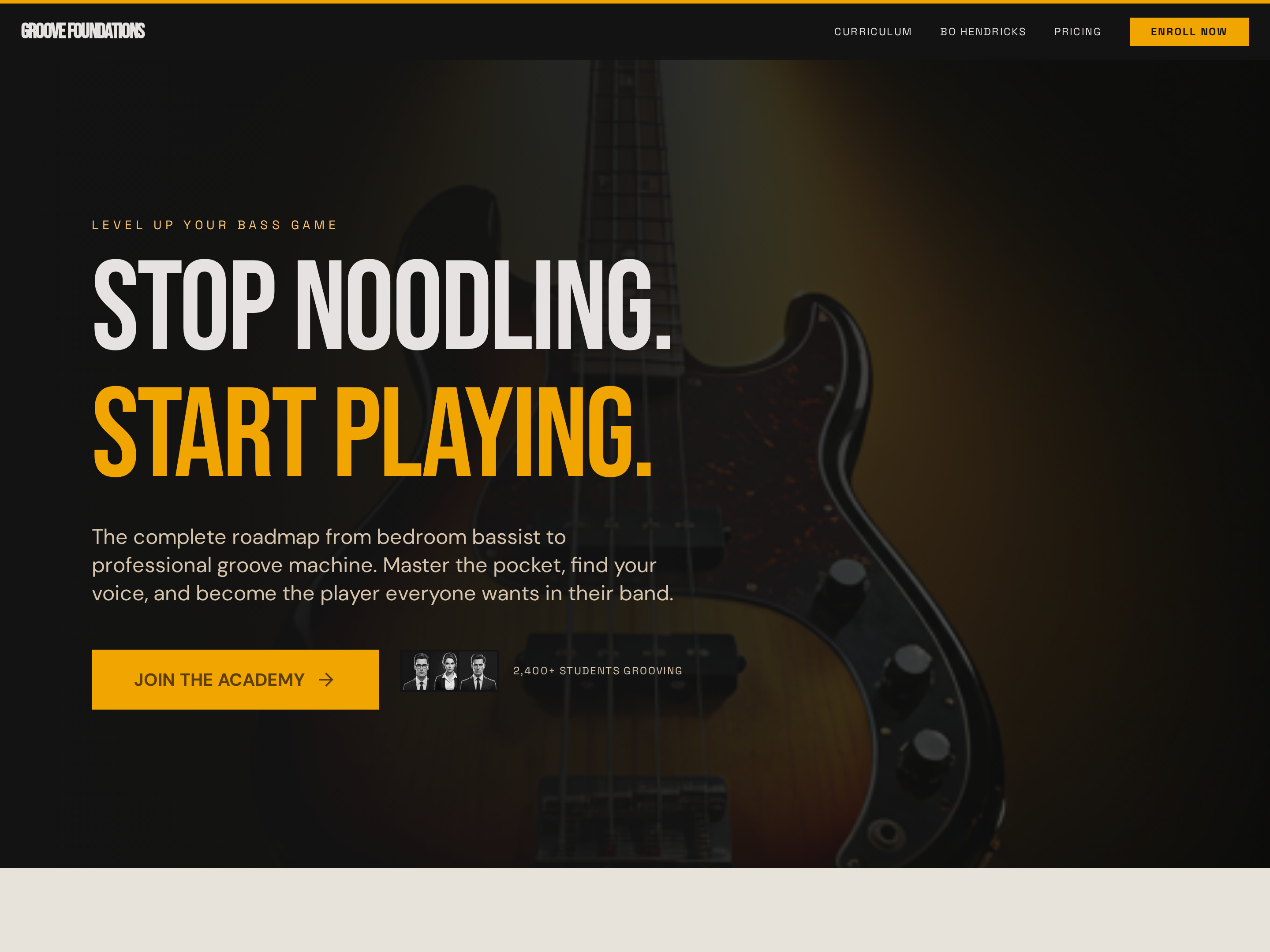
Long-Form Sales Page — Bold Dark-Mode Course Conversion Layout
A long-form dark-mode sales page with a full-bleed hero, sticky navigation, curriculum breakdown, social proof, and pricing — pilots a bass guitar course but the pattern fits any course, cohort, or signature program that needs a high-impact conversion page.
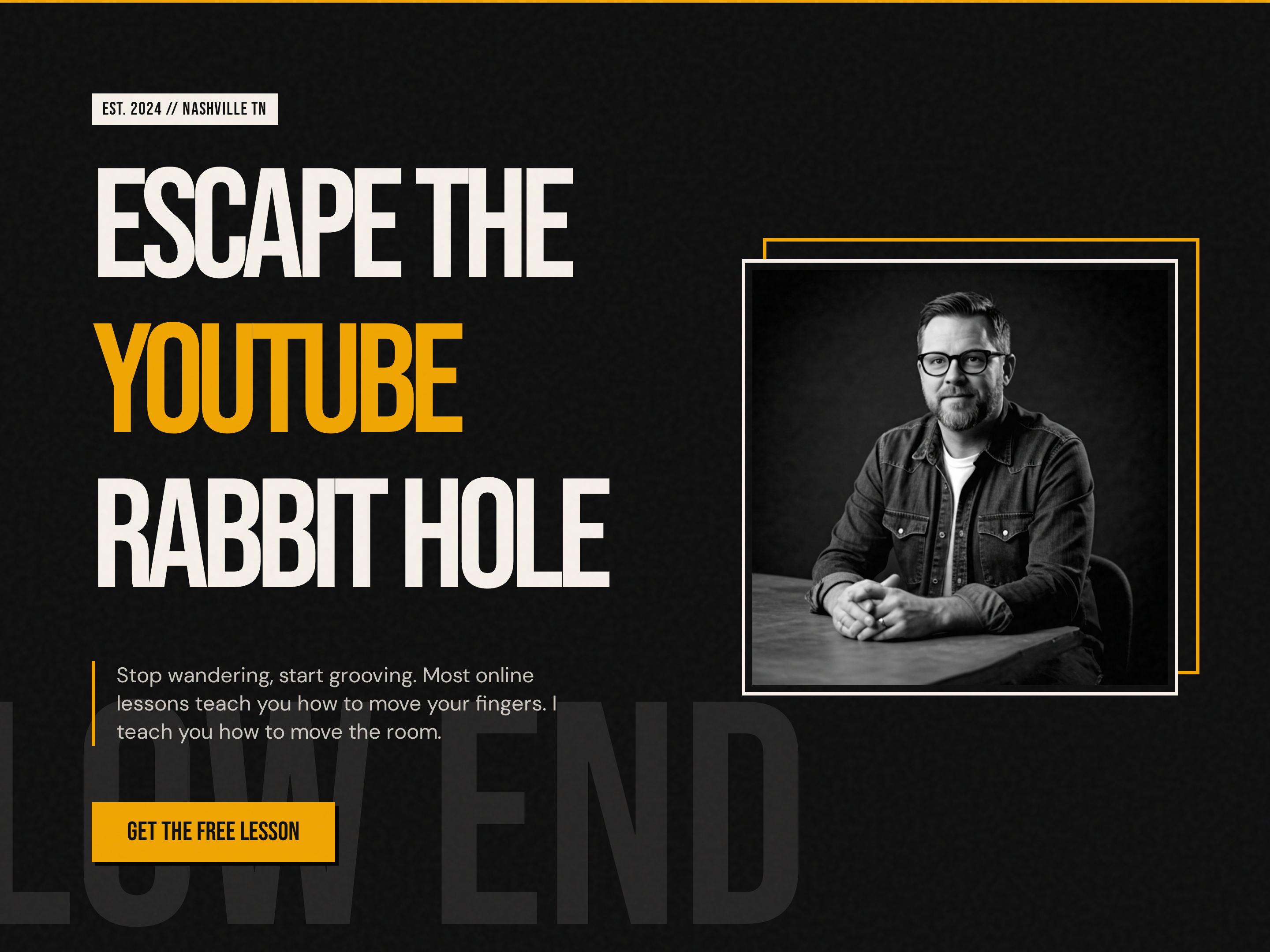
Bold Creator Homepage — Dark-Mode Split Hero with Single CTA
A bold, dark-mode homepage built around a split hero with oversized display headlines, accent-color emphasis, creator portrait, and a single punchy CTA — pilots a music education brand but the pattern fits any creator-led brand that wants to stand out from the typical light course site.
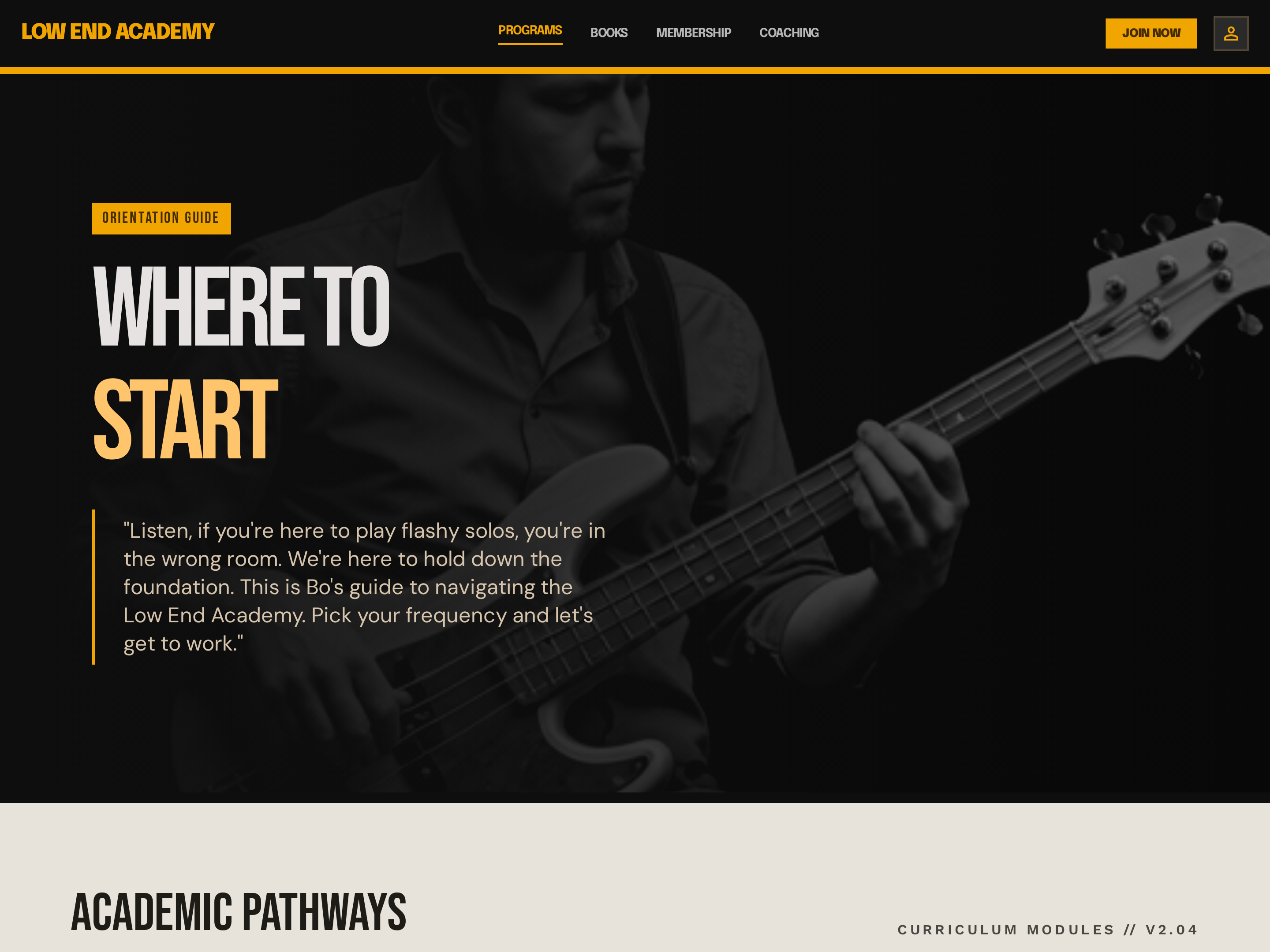
Programs Overview Hub — Dark-Mode Multi-Offer Card Grid
A dark programs hub page that shows multiple courses or offers side by side in a card grid, with descriptions and individual CTAs per program — pilots a music educator's catalog but the pattern fits any creator with two or more offers who needs a 'start here' page.
Create a new list
Save your favorites
Email me a magic link and I'll add this to your favorites list.