Bold Contact Page — Dark-Mode Inquiry Form
A clean dark-mode contact page with a styled inquiry form, supporting contact info, and a response-time note — pilots a music educator brand but the pattern fits any creator who needs a no-frills, on-brand contact page.
Best for: Creator and small-business sites that need a dark, on-brand contact page with a simple form rather than a generic 'contact us' template.
Live preview — scroll inside the frame to see the full page.
What it does
- Styled contact form — name, email, and message fields with branded inputs and a prominent submit button
- Bold page headline — a confident display headline anchors the page rather than a generic 'contact us'
- Supporting contact details — optional email, hours, or location info beside or beneath the form
- Response-time reassurance — a short line setting expectations on when visitors will hear back
- Strong visual hierarchy — minimal layout focuses attention on the form as the one thing to do
Best use cases
- Course creators — main contact page linked from site navigation
- Coaches and consultants — inquiry destination for prospective clients
- Agencies and studios — clean contact page paired with project intake
- Memberships and communities — member support and inquiry channel
- Creators with a bold dark brand — contact touchpoint that stays on-system
What you can change with your DNA
When you run this through the remix skill, your CCOS DNA — brand, voice, audience — drives these decisions automatically:
- Colors — slots for page background, form background, input borders, focus accent, and submit button
- Fonts — display font for the headline and a body font for labels and helper text
- Copy — page headline, supporting paragraph, form labels, response-time line, and confirmation message
- Behavior — choose which fields appear, whether to add inquiry-type radio buttons, and where the form delivers responses
- Images — optional accent imagery or background texture for added warmth
How remixing works
From "swiped it" to "shipped it" in three steps.
Pick a remix
Browse the library, find one that fits — like this one.
Run it through your DNA
The remix skill uses your CCOS DNA to swap colors, fonts, copy, and structure so it lands as yours.
Ship it
Paste the finished HTML into Thinkific, Kajabi, WordPress, or any platform that takes embed code.
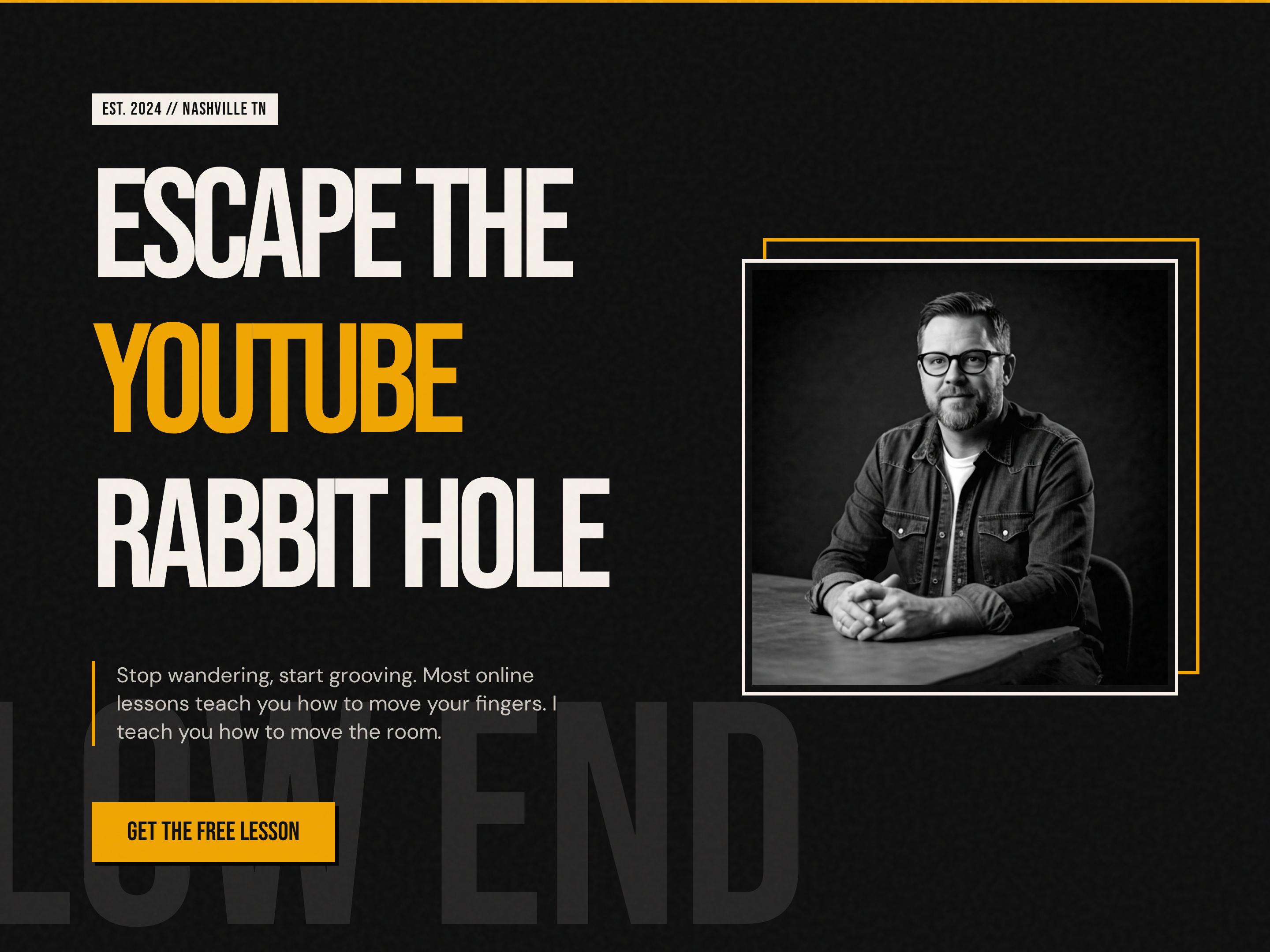
Bold Creator Homepage — Dark-Mode Split Hero with Single CTA
A bold, dark-mode homepage built around a split hero with oversized display headlines, accent-color emphasis, creator portrait, and a single punchy CTA — pilots a music education brand but the pattern fits any creator-led brand that wants to stand out from the typical light course site.
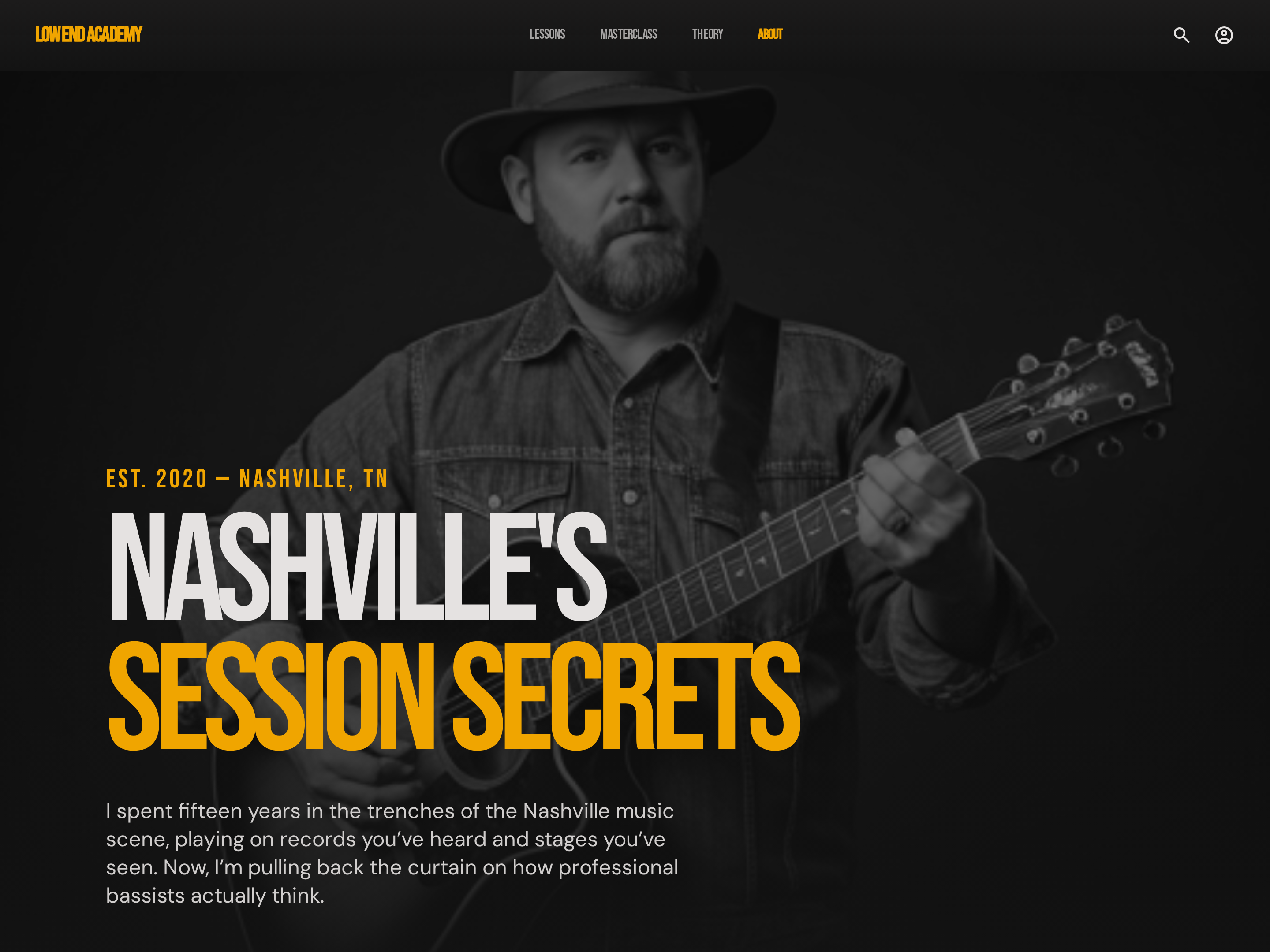
Editorial About Page — Bold Dark-Mode Creator Story
A dark-mode editorial about page that combines creator origin story, credentials, and teaching philosophy in a high-contrast, hard-edged layout — pilots a music educator profile but the pattern fits any creator who wants a bold, no-fluff credibility page.
Create a new list
Save your favorites
Email me a magic link and I'll add this to your favorites list.